
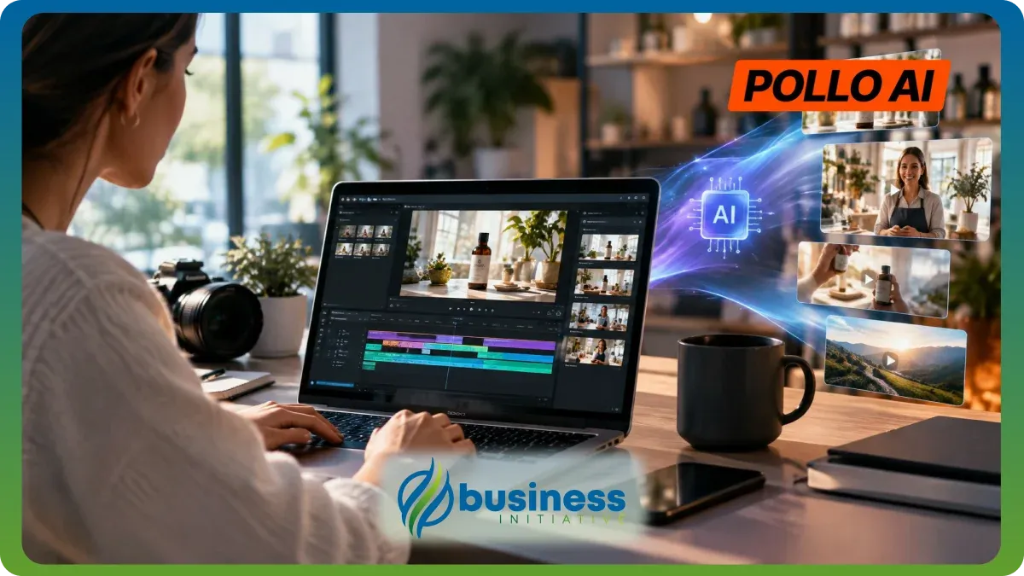
Small businesses need promotional videos to showcase products and attract customers, but hiring a production team isn’t always practical. Pollo AI combines video generation, image editing, marketing workflows, and audio tools in one platform. Here’s how to use its creative features to produce promotional content without starting from scratch.
What Is Pollo AI and Why Do You Need It?
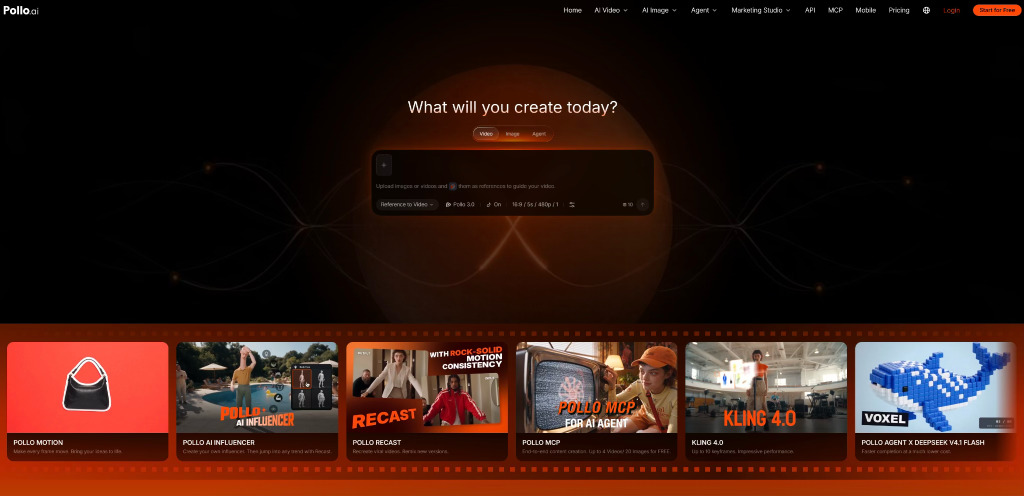
Pollo AI is an AI creative suite for creators and marketers, bringing video, image, avatar, and audio creation together with specialized studios for marketing and everyday content. It provides access to leading third-party video models and generators, including Kling 4.0, Seedance 2.5, Wan 3.0, MiniMax H3 Max, Vidu Q4, and Veo 3, alongside models developed in-house by Pollo AI. For anyone wanting to try tools like Haiper AI, Pollo AI offers a convenient way to explore a wide range of popular video models in one place, without switching between different platforms.
For small businesses without dedicated production teams, creating an ad often means juggling product photos, scripts, video editing, and voiceovers. Pollo AI brings these tasks into one creative workspace. Marketing Studio offers workflows such as Photo to Video Ads, URL to Video Ads, UGC Video Ads, Script to Video Ads, and Product Video, helping businesses turn existing materials into different advertising formats.
Its image tools, including AI Product Shot, Product Staging, and Product Beautifier, help prepare product visuals without arranging additional photo shoots. Brand Kit stores logos, colors, fonts, and brand voice for consistent campaigns. For more complex projects, Pollo Agent can coordinate creative tasks using briefs, images, URLs, scripts, and references. Audio tools, including Text to Speech, AI Voice Generator, Voice Cloning, and Sound Effect Generator, along with AI Video Editor and Video Upscaler, help complete the production process.
This makes Pollo AI useful for businesses that need more than an isolated video clip: it provides tools for developing promotional content from initial visuals to final edits.
The following tutorial uses a small candle brand launching a seasonal collection as an example.
How to Make Professional-Looking AI Promo Videos with Pollo AI
Step 1. Choose an Advertising Workflow
Start with the materials the business already has. In Marketing Studio, Photo to Video Ads works with existing product photos, while URL to Video Ads is useful for online sellers with product listings. Script to Video Ads turns promotional copy into video content, and UGC Video Ads creates presenter-style advertisements. Product Video focuses on product showcases.
For the candle brand, Photo to Video Ads is a good starting point if product photos are ready. If the collection has an online listing, URL to Video Ads is another option.
Step 2. Prepare Product Images
Pollo AI offers several image tools for preparing campaign visuals. AI Product Shot generates alternative product presentations, Product Staging places items in lifestyle settings, and Product Beautifier improves existing images.
The candle brand could use Product Staging to show its products in a cozy living room rather than against a plain background. Brand Kit can also store the business logo, colors, and fonts for consistent branding across campaign materials.
Step 3. Generate the Promotional Video
Move to Photo to Video Ads or Product Video, depending on the desired format. Pollo AI also supports Text to Video, Image to Video, and Reference to Video, with models including Kling, Veo, Sora, Seedance, and Wan.
For the candle campaign, the video could feature a product close-up, a lifestyle scene, and a final showcase. If the business wants a presenter to introduce the collection, UGC Video Ads offers an alternative using AI-generated presenters.
Step 4. Coordinate Scenes with Pollo Agent
For campaigns involving multiple scenes and assets, Pollo Agent can help organize production. It accepts briefs, images, product URLs, scripts, and references, then selects suitable tools and models for the task.
The candle brand could request a short seasonal ad featuring product details, packaging close-ups, and a lifestyle scene. Users can review intermediate results and request changes to individual scenes instead of rebuilding the entire project.
Step 5. Add Audio and Refine the Video
AI Voice Generator and Text to Speech can provide narration, while Voice Cloning and Sound Effect Generator offer additional audio options.
The AI Video Editor helps refine generated content, and Video Upscaler can improve output resolution when needed. The finished video can then be prepared for TikTok, Instagram, or the business website.
Tips for Making Better Small Business Promo Videos
Give the AI Specific Instructions
Avoid vague prompts like “make a professional advertisement.” Describe the product, setting, lighting, camera movement, and mood instead. For product videos, specify details such as packaging, labels, and shape that should remain unchanged.
Focus on One Selling Point
A short ad shouldn’t explain everything about a product. The candle brand could highlight its seasonal scent in one video and its gift packaging in another. Separate creative angles keep each advertisement focused.
Keep UGC Content Honest
AI presenters can create creator-style ads without filming someone. However, generated characters shouldn’t be presented as real customers, and fictional reviews shouldn’t be used as genuine testimonials. Product claims must also be accurate.
Test Before Scaling Up
Compare lifestyle scenes, product close-ups, and presenter-led ads. Change one major creative element at a time to see which approach works best before producing more variations.
Check Usage Rights
Before using videos in paid campaigns, review the commercial-use terms of the Pollo AI plan. Music, reference images, and other third-party assets may have separate licensing requirements.
Final Thoughts
Pollo AI gives small businesses several ways to turn product images, store links, and creative briefs into promotional videos. Marketing Studio, image tools, multiple video models, Pollo Agent, and audio and editing features cover different parts of the production process.
Good source materials and a clear message still matter, but businesses without a dedicated production team can use Pollo AI to create and test different promotional formats in one place.